Сutting-edge software for retailers
& wholesalers

List an unlimited number of products and manage inventory & orders on multiple channels within one retail business software – M2E Multichannel Connect.
Try now
List an unlimited number of products and manage inventory & orders on multiple channels within one retail business software – M2E Multichannel Connect.

All you need to run
your online store

Manage inventory with ease

Use M2E Multichannel Connect, the solution for retail business owners who want to scale efficiently. Automatically link your store products to eBay, Amazon, Walmart, TikTok Shop, Kaufland, and Temu items. Connect your store to marketplaces, manage existing listings and publish new ones with ease.

Update your stock in real-time to prevent overselling and make bulk changes to your products. Customize prices and quantities for each channel and have precise control over your inventory.

Handle orders effectively

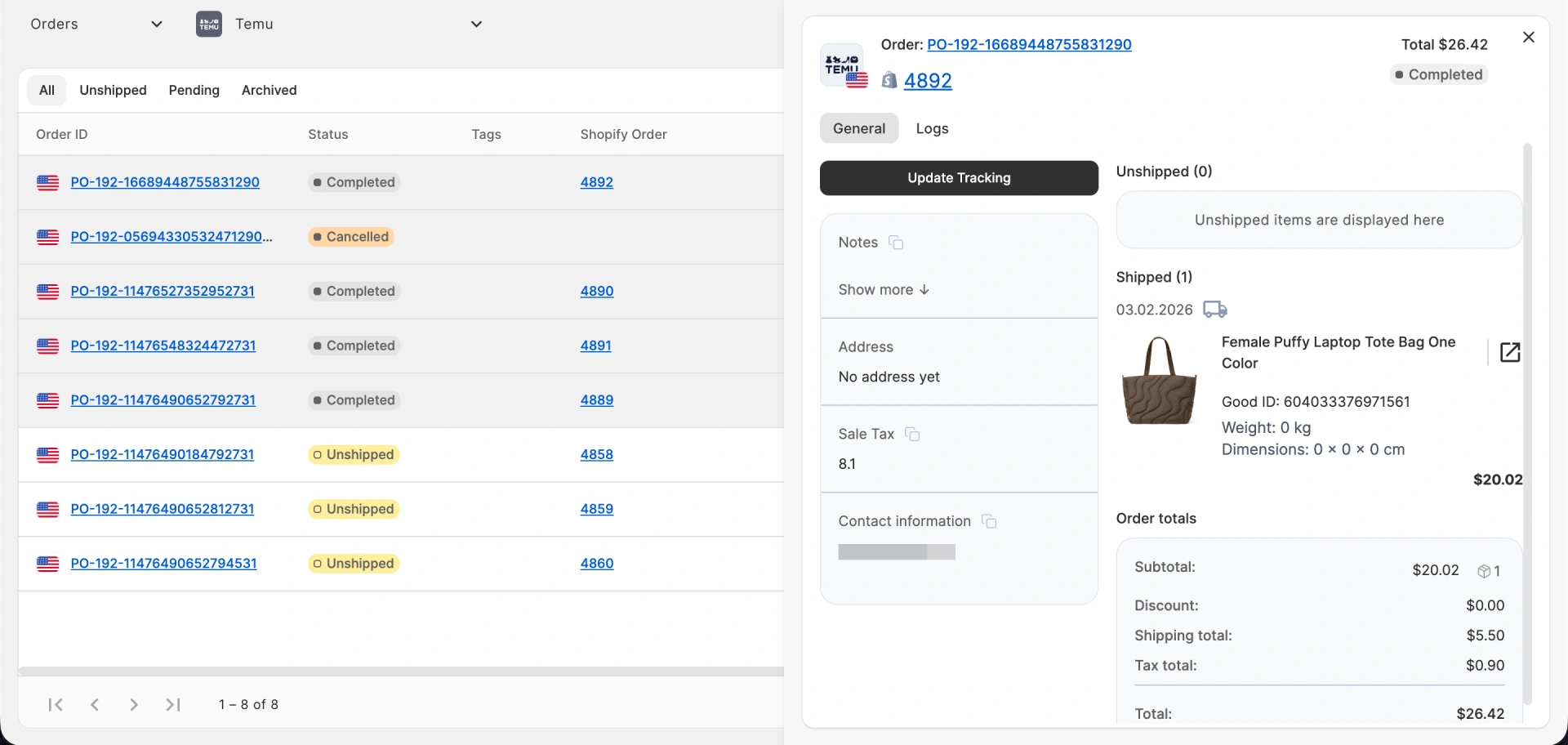
The app automatically syncs orders and shipment statuses whenever your customers make a purchase. Keep every aspect of your order management checked from a single interface. With automation in place, you save time and reduce errors in order processing – exactly what you need for selling on marketplaces efficiently.

Sell worldwide on eBay, Amazon, Walmart, TTS and more

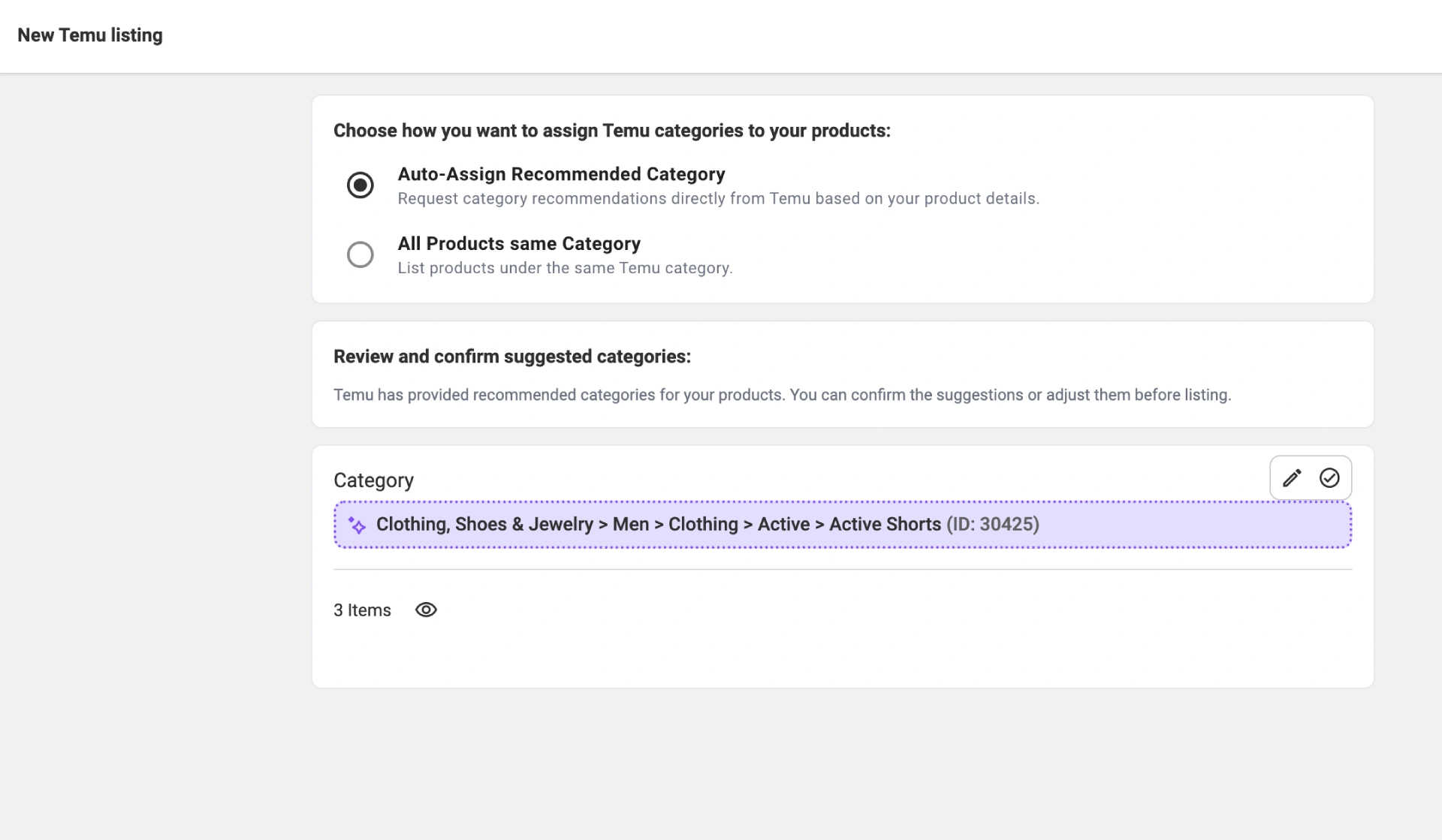
Expand your online presence to the most popular marketplaces in the blink of an eye. No special skills are required. The app helps you connect to marketplaces like eBay, Amazon, Walmart, TikTok Shop, Kaufland, Temu, Shein and OTTO Market almost instantly. Focus on growing your business while the app handles synchronization in the background.

For faster onboarding and accurate listings on new channels, you can rely on M2E’s Listing Service.
Create a product setup that works for you

Adjust product settings through M2E Policies to match marketplace requirements and optimize listings for each channel. Create custom product attributes using the Catalog feature for extra flexibility. Build your own “Lego-like” setup that fits your business model and goals with the help of M2E Multichannel Connect.

Become a top-rated
Amazon seller

Outperform your Amazon competitors and win the Buy Box without too much hassle. Our Amazon Connect Marketplace app provides a smart Repricer that analyzes your competing products and adjusts prices, ensuring the best possible performance.

Track your performance with advanced analytics

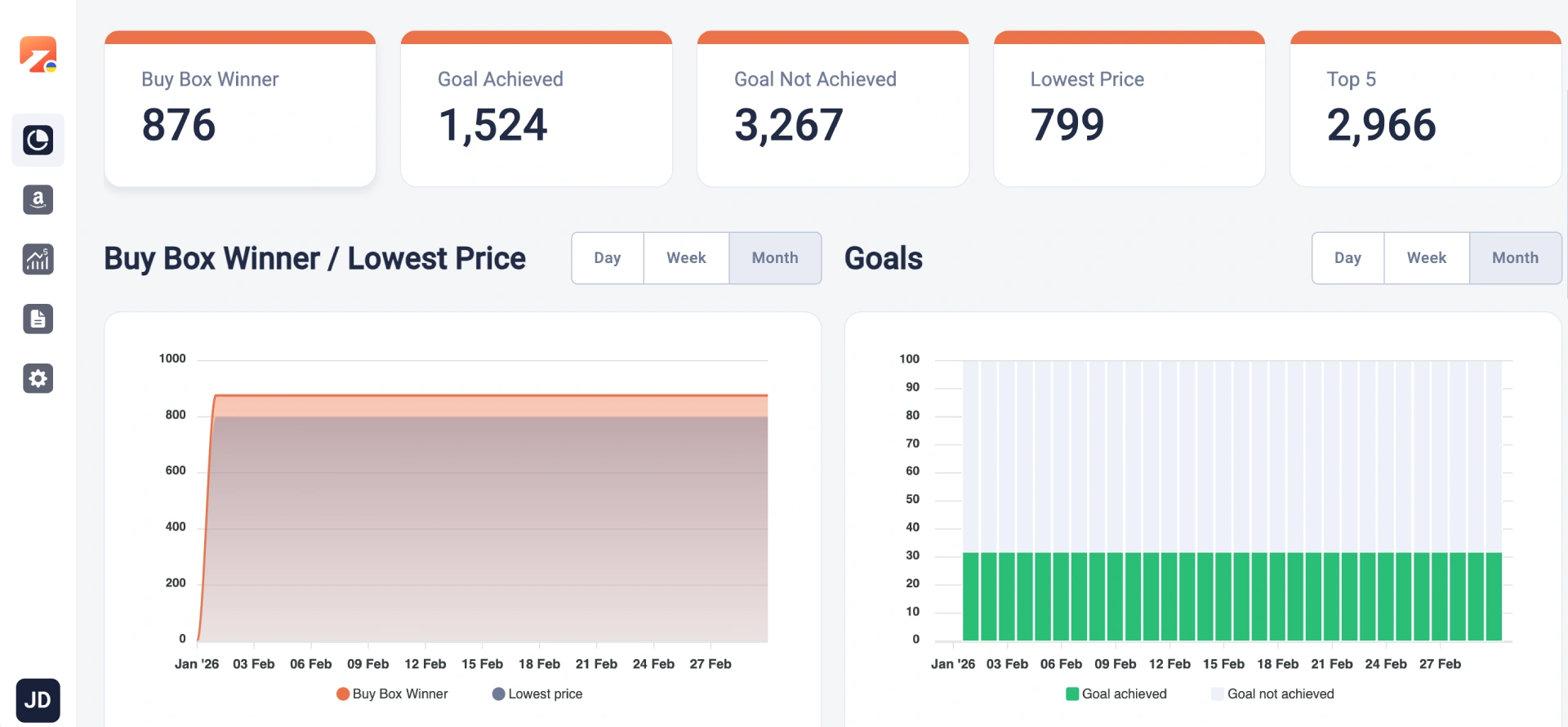
Gain a clear view of your business metrics using the M2E Analytics tool. Access detailed insights into your marketplace sales to identify trends, optimize operations, and boost revenue. With comprehensive Amazon, eBay, TikTok Shop, Temu, and Walmart sales reports from a single dashboard, you’ll make smarter, data-driven decisions while selling on marketplaces.

Integrate with other systems

M2E Multichannel Connect allows for exchanging of inventory and order data between M2E servers and external systems, such as ERP, PIM, and various other applications. With API connectivity, you can achieve seamless data synchronization and efficient integration tailored to your business workflows.

Discover our integrations
to boost your business

FAQ

How long does the M2E Multichannel Connect setup take?

Setting up your M2E Multichannel Connect account is simple and usually requires only 10 to 15 minutes. The process consists of five main steps: selecting your primary data source, linking your channel accounts, setting up your product and order preferences, and enabling inventory synchronization. Our user guide offers comprehensive instructions for each step.

How does syncing work?

M2E Multichannel Connect synchronizes changes between your store and marketplaces in real-time. It automatically updates listings, inventory levels, prices, and order statuses to ensure consistency across platforms. For instance, once you update an item in your store, the app reflects these changes on the marketplaces where your item is listed.

How quick is the syncing?

M2E Multichannel Connect provides real-time or near real-time syncing between your store and marketplaces, specifically for crucial aspects such as stock levels and order statuses. Updates with minor priority may be scheduled hourly to manage data processing efficiently.

How does M2E decide the syncing direction when I first link my sales channels?

When setting up your M2E Multichannel Connect account, you can select your store or your Catalog (if you don’t own the store) as the primary source of inventory and order information. The app will rely on your store/catalog changes when updating product and order data on eBay, Amazon, and Walmart. This way, M2E Multichannel Connect ensures that all marketplaces reflect the most current information about your listings and stock levels, minimizing the risk of overselling.

Is M2E capable of synchronizing across various sales channels within one place?

M2E Multichannel Connect lets you enable synchronization across every store and channel from a single application. It functions as a centralized hub for handling all vital aspects of your online sales, such as inventory and orders, to keep them synchronized across your platforms. You can use M2E Multichannel Connect as a standalone application or as a plugin integrated into your store’s admin.

User reviews

Helps to expand on new markets

M2E Cloud is a miracle platform which easily allows to list all your products on popular marketplaces and manage everything from one app in a full sync. I was delighted about how this app is easy to use and don’t require hours of trainings on how to use it. Apart from that, guys from a support team is very responsive and willing to help. M2E Cloud is a true gem for ecommers sellers who want to expand on new markets. I wish M2E team much of success, tons of released features and thousends of new clients! Good luck!

5,0
M2E Cloud review
Average rating of our users

Skyrocket your sales and save time with M2E Cloud