


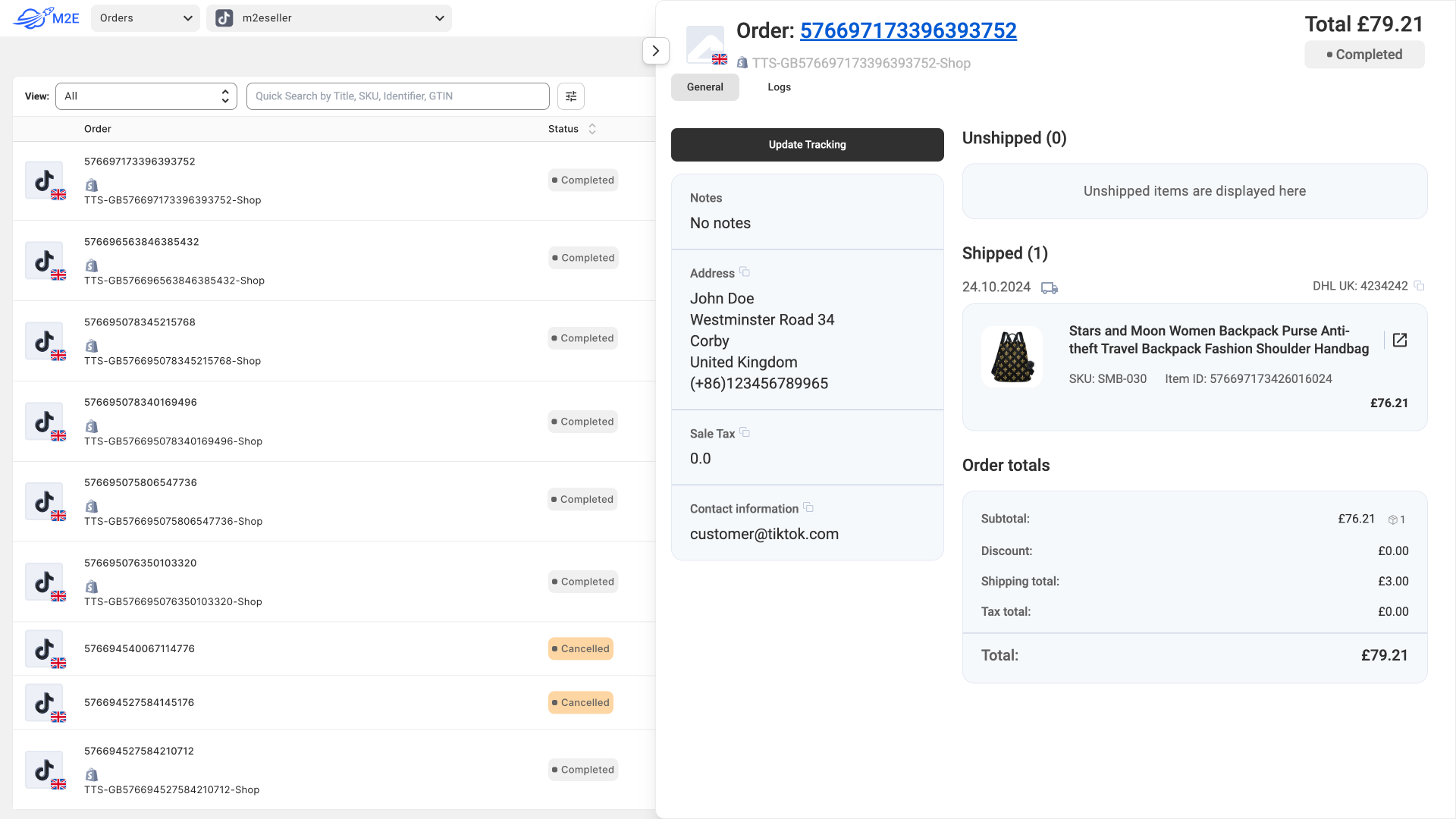


First, check that your data source is set to Catalog in M2E Multichannel Connect. Then, enable API Access by navigating to the Settings tab, selecting Catalog, and switching to the API tab. Toggle the API Access on, copy the generated token, and follow the instructions in the API documentation.
Even if you have connected both a Channel and a Store (Data Source), you can still use the M2E Cloud API. This allows you to integrate with your external system (e.g., ERP or CRM) to manage orders, synchronize product data, and automate workflows as needed.
X-RateLimit-Limit header. For more details, please refer to M2E Cloud API Documentation.600+ marketplace integrations
to scale your business















Helps to expand on new markets. M2E Cloud is a miracle platform which easily allows to list all your products on popular marketplaces and manage everything from one app in a full sync. I was delighted about how this app is easy to use and don’t require hours of trainings on how to use it. Apart from that, guys from a support team is very responsive and willing to help. M2E Cloud is a true gem for ecommers sellers who want to expand on new markets. I wish M2E team much of success, tons of released features and thousends of new clients! Good luck!
Skyrocket your sales and save time with M2E Cloud

